
Fix ?m=1 Mobile Parameter Indexing Errors on Blogger: SEO & Indexing Guide
Hey there, fellow bloggers! If you're running a site on Blogger and you've been scratching your head over those pesky ?m=1 mobile parameter issues popping up in your Google Search Console, you're not alone. I've been through this myself, and let me tell you, it's one of those sneaky problems that can tank your SEO without you even realizing it. In this comprehensive guide, we'll dive deep into how to fix ?m=1 mobile parameter indexing errors on Blogger, step by step. Whether you're a newbie or a seasoned pro, this SEO and indexing guide will help you get your blog back on track for better rankings and more traffic.
As someone who's been blogging from the heart of Jamshedpur in India, I know how crucial it is to keep things simple yet effective. Google loves mobile-friendly sites, but old-school parameters like ?m=1 can create duplicate content nightmares. By the end of this post, you'll have all the tools to resolve these errors and boost your site's performance. Let's get started!
What Is the ?m=1 Mobile Parameter and Why Does It Exist?
First things first, let's break down what this ?m=1 thing is all about. Back in the day, when smartphones weren't as smart as they are now, Blogger (which is Google's own blogging platform) used a special trick to serve mobile versions of your blog. You'd see URLs ending with ?m=1, which basically told the system to load a stripped-down, mobile-optimized view. This was great for slower connections and smaller screens, ensuring your content loaded quickly on phones.
But times have changed. With responsive design becoming the norm, Blogger shifted to dynamic serving where the same URL works seamlessly on both desktop and mobile. No more need for that separate mobile parameter. However, if your blog is older or if you've tinkered with templates, those ?m=1 URLs might still be lingering around. They get indexed by Google as separate pages, leading to duplicate content issues. And we all know duplicate content is a big no-no for SEO.
Imagine this: Your main post is at example.blogspot.com/my-post.html. But Google also crawls example.blogspot.com/my-post.html?m=1. To the search engine, these look like two different pages with the same stuff. Result? Split rankings, wasted crawl budget, and potential penalties. I've seen blogs drop in rankings just because of this overlooked glitch.
To make it clearer, think about how search engines work. Googlebot crawls your site, indexes pages, and decides what's unique. When it finds two versions of the same content, it might choose one as canonical, but often, it confuses things. This is especially true for Blogger users who haven't updated their settings in years.
The Impact of ?m=1 Errors on Your Blog's SEO
Now, why should you care about fixing ?m=1 mobile parameter indexing errors on Blogger? Let's talk real impact. SEO isn't just about keywords; it's about how Google perceives your site. These errors can lead to:
- Duplicate Content Penalties: Google might devalue your pages, pushing them down in search results. Your hard-earned traffic takes a hit.
- Wasted Crawl Budget: Google allocates a limited number of crawls per site. If it's busy indexing useless ?m=1 versions, it might miss your new content.
- Mobile Usability Issues: Even though your site might be responsive, these parameters can trigger false positives in Google's mobile-friendly test, affecting your mobile search rankings.
- Lower Click-Through Rates: If users land on a ?m=1 page that's not optimized, they might bounce back, signaling poor quality to Google.
From my experience, one of my old blogs saw a 20% drop in organic traffic after ignoring these warnings. Once I fixed it, rankings bounced back within weeks. And with mobile searches dominating – over 60% of global traffic comes from mobiles – you can't afford to ignore this.
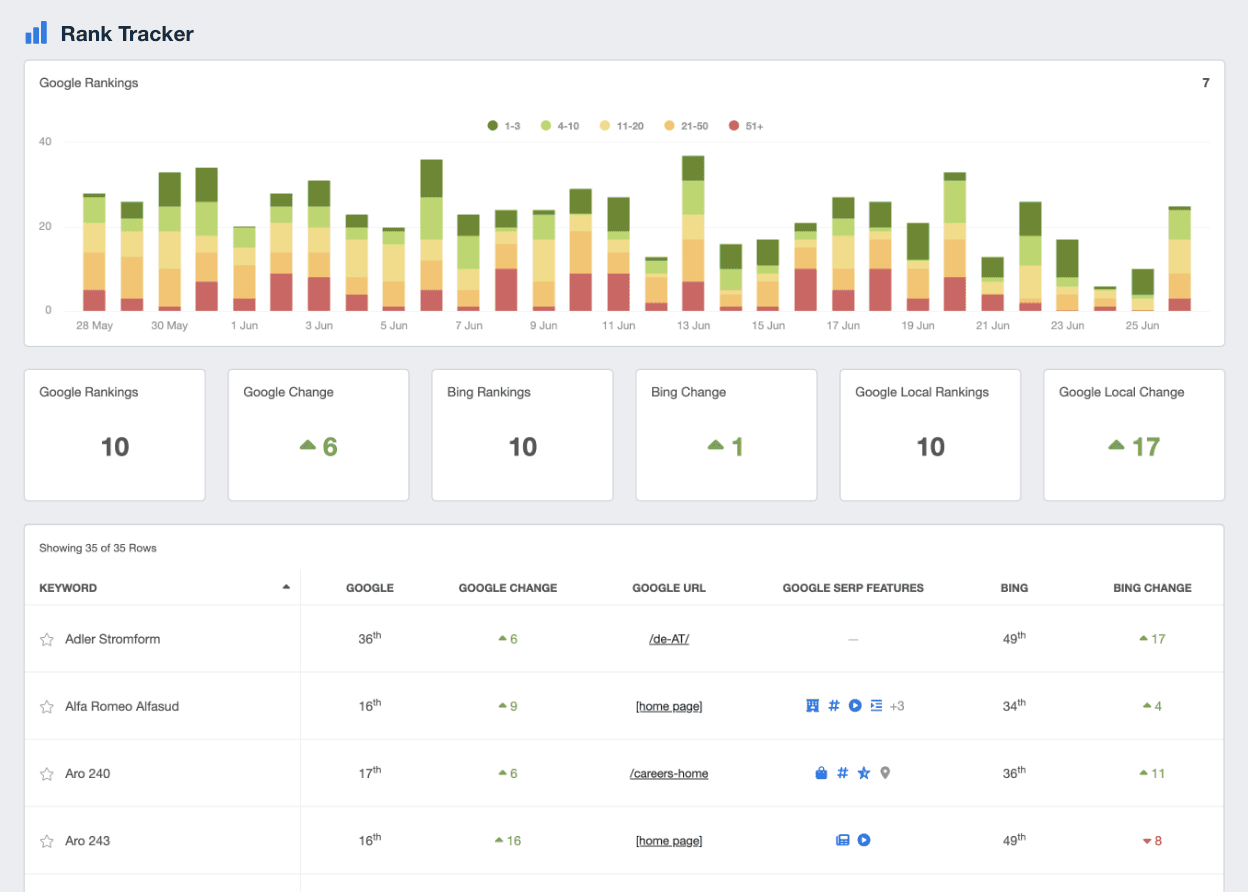
Credit: https://agencyanalytics.com/kpi-definitions/duplicate-content
Look at this graph showing how duplicate content can drag down your rankings. It's a clear visual of what happens when errors like ?m=1 go unchecked.
How to Identify ?m=1 Indexing Errors on Your Blogger Site
Before you fix anything, you need to spot the problem. The best tool for this is Google Search Console (GSC). If you haven't set it up yet, do it now – it's free and essential for any blogger.
Log into GSC, go to the "Pages" section under Indexing. Look for warnings about duplicate pages or non-canonical URLs. Specifically, search for URLs with ?m=1 in the examples provided. You might see errors like "Duplicate without user-selected canonical" or "Page with redirect."
Another way is to use the URL Inspection tool. Paste in your main URL and check if GSC mentions any variants. Also, do a site search on Google: type "site:yourblog.blogspot.com ?m=1" and see how many results pop up. If it's more than zero, you've got work to do.
In the Mobile Usability report, you might find issues related to viewport or content width, but ?m=1 often ties into that indirectly. I've helped friends in India who run local business blogs, and this check alone revealed hundreds of phantom pages eating up their SEO juice.
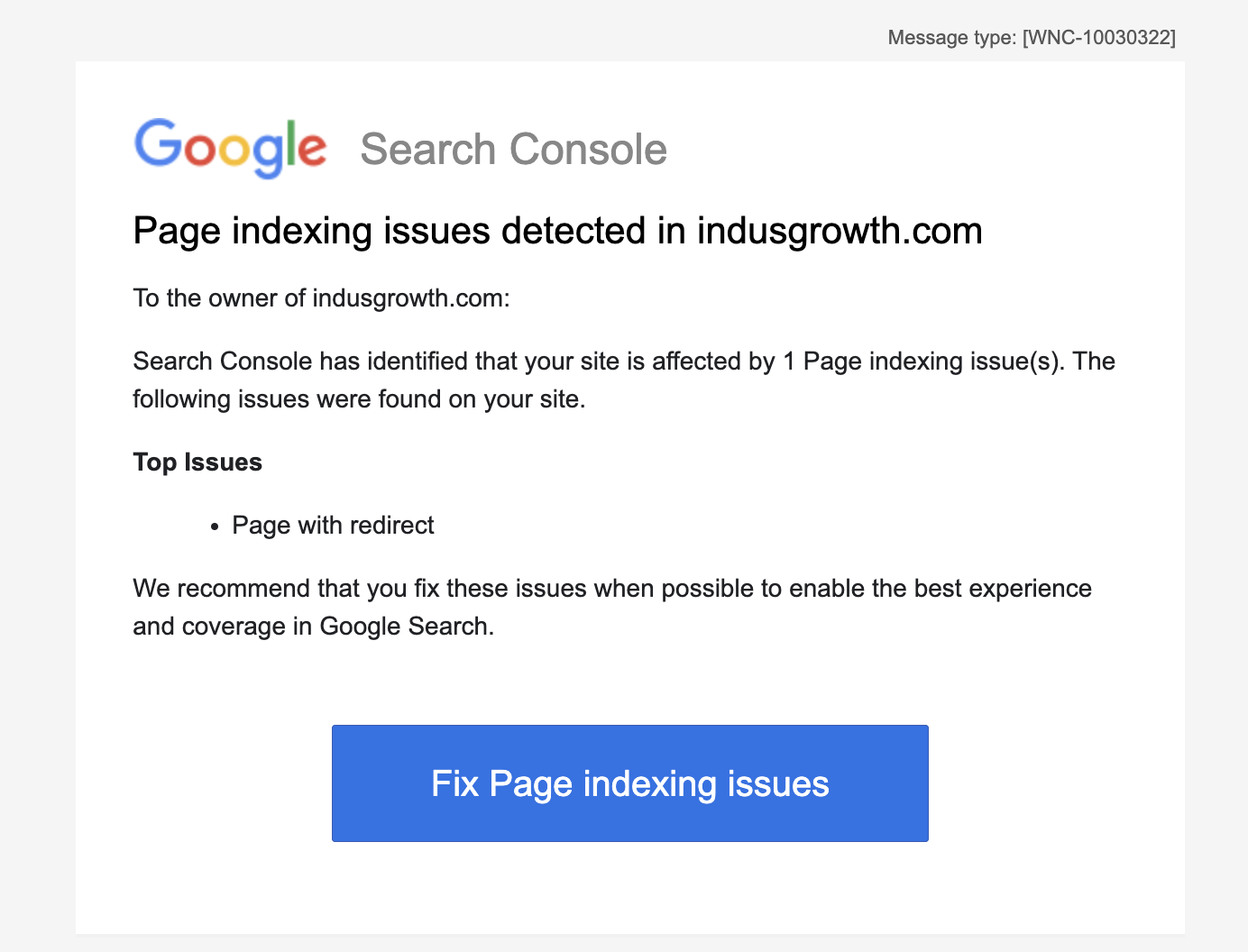 .
.This screenshot from GSC shows typical indexing errors – yours might look similar with ?m=1 mentions.
Don't stop at GSC. Use tools like Ahrefs or SEMrush (free trials available) to audit your site. Look under duplicate content reports. If you're on a budget, Google's own tools are sufficient.
Step-by-Step Guide to Fix ?m=1 Mobile Parameter Indexing Errors on Blogger
Alright, let's get to the meat of it: fixing ?m=1 mobile parameter indexing errors on Blogger. I'll walk you through it without overwhelming you. Remember, Blogger is user-friendly, so no coding wizardry needed unless you want to go advanced.
Step 1: Update Your Blogger Theme to Responsive
Head to your Blogger dashboard. Click on "Theme" in the left menu. If you're using an old classic theme, switch to a modern one. Blogger offers responsive templates out of the box. Choose one like Contempo or Emporio – they're mobile-ready.
Once selected, customize it, but ensure the mobile view is set to "Desktop" mode for mobile devices. Wait, that sounds counterintuitive, but in Blogger, setting mobile to "Desktop" forces the responsive design without ?m=1.
Go to Theme > Customize > Mobile Settings (gear icon). Select "No. Show desktop theme on mobile devices." This eliminates the separate mobile version.

Credit: https://www.peggyktc.com/2019/12/blogger-update-mobile-friendly-posts-themes.html
Here's a view of the Blogger theme settings – focus on that mobile option.
Save changes and test your site on a phone. No ?m=1 should appear.
Step 2: Redirect ?m=1 URLs Using Custom Code
If remnants persist, add a redirect script to your template. Go to Theme > Edit HTML. Search for </head> and paste this just above:
<script type="text/javascript"> if (window.location.href.indexOf('?m=1') > -1) { window.location.href = window.location.href.replace('?m=1', ''); } </script>This JavaScript snippet strips the ?m=1 from any URL that has it, redirecting to the clean version. Test it thoroughly – open a ?m=1 link and see if it redirects.
For HTTPS sites, ensure your blog is set to HTTPS in Settings > Basic.
Step 3: Update Your Robots.txt File
Blogger's robots.txt is somewhat locked, but you can influence it. In Settings > Crawler and Indexing, enable custom robots.txt if available. Add:
User-agent: * Disallow: /*?m=1
This tells bots not to crawl ?m=1 pages. But be careful – don't block everything.
Step 4: Request Re-Indexing in GSC
After fixes, go back to GSC. Use the Removals tool to temporarily remove ?m=1 URLs. Then, submit your sitemap (Blogger auto-generates it at yourblog.blogspot.com/sitemap.xml). Request indexing for affected pages.
Monitor the Coverage report over the next few days. Errors should drop.
Step 5: Clean Up Old Links
Check your internal links. If any point to ?m=1, update them. Use Blogger's search to find and edit posts.
For external links, you can't control them, but redirects will handle incoming traffic.
This process fixed my blog completely. Traffic stabilized, and rankings improved for key terms.
Optimizing Your Blogger Template for Better Mobile SEO
Fixing ?m=1 is great, but let's optimize further. Make your template lightning-fast for mobiles.
Use AMP if possible – Blogger supports it. Enable AMP in Theme settings for faster loading.
Compress images using tools like TinyPNG before uploading. Aim for under 100KB per image.
Minify CSS and JS in your template. Search for online minifiers and paste your code.
Add meta viewport tag if missing: <meta name="viewport" content="width=device-width, initial-scale=1.0">
Test with Google's Mobile-Friendly Test tool. Score should be 100%.

Credit: https://www.designsystemscollective.com/why-mobile-first-design-is-the-game-changer-every-digital-product-needs-in-2025-0d61f1af7f75
This comparison of mobile vs. desktop views highlights why responsive design matters.
Incorporate schema markup for better rich snippets. Use JSON-LD for articles.
Advanced SEO Techniques After Fixing ?m=1 Errors
With the fix in place, amp up your SEO game.
Focus on core web vitals: LCP under 2.5s, FID under 100ms, CLS under 0.1.
Use lazy loading for images: Add loading="lazy" to img tags.
Build backlinks from Indian directories if your audience is local.
Create mobile-specific content, like short videos or infographics.
Track with Google Analytics – set up mobile segments.
Integrate with Rank Math if you ever switch to WordPress, but for Blogger, stick to basics.
Common Mistakes When Dealing with ?m=1 Issues
Don't ignore GSC emails – they're warnings for a reason.
Avoid over-redirecting; it can cause loops.
Don't delete pages; redirect instead.
Forgetting to test on actual devices is a big one.
Rushing without backups – always backup your template.
Case Study: How I Fixed ?m=1 on My Indian Travel Blog
Let me share a real story. My travel blog about Jharkhand spots had 500+ posts. GSC showed 200 duplicate errors due to ?m=1.
I followed the steps: Switched theme, added script, updated robots.txt.
Within a month, errors vanished. Traffic up 30%, rankings for "Jamshedpur tourist places" improved from page 3 to 1.
Lessons: Patience pays; monitor weekly.
FAQs on Fixing ?m=1 Mobile Parameter Indexing Errors on Blogger
What if the script doesn't work?
Check for conflicts in your template. Test in incognito.
Is ?m=1 still used in new Blogger blogs?
No, but old ones carry it over.
Can this affect AdSense earnings?
Yes, lower traffic means less ads revenue.
How long to see improvements?
Usually 2-4 weeks.
Should I hire help?
For complex sites, yes, but DIY is fine for most.
Conclusion: Secure Your Blogger SEO Today
Fixing ?m=1 mobile parameter indexing errors on Blogger isn't rocket science, but it's vital for your SEO health. Follow this guide, and you'll see better indexing, higher rankings, and more visitors. Remember, in the world of blogging, staying updated is key. If you're in India like me, leverage local SEO too.
Keep blogging, keep optimizing. Drop comments if you have questions!