
Why Is My Blogspot Blog Not Indexing in Google?
Hey there, fellow bloggers! If you're reading this, chances are you've poured your heart and soul into your Blogspot blog (that's Blogger.com for those who might not know), only to find out that Google isn't picking it up in search results. Frustrating, right? You've got great content, maybe some killer posts on your niche, but when you search for your site, nada. Zilch. It's like your blog is invisible to the world's biggest search engine. And since Blogspot is owned by Google, you'd think it'd be a slam dunk for indexing. But nope, sometimes things go wrong.
In this post, we discuss why your Blogspot blog not indexing in Google.We'll cover common pitfalls, easy fixes, and some pro tips to get your blog crawling and ranking like it should. By the end, you'll have a roadmap to troubleshoot and resolve this issue. Let's get started!
What Does It Mean for Your Blog to Be Indexed in Google?
Before we jump into the "why," let's make sure we're on the same page about what indexing actually is. Imagine Google as a massive library, and your blog posts are books you want on the shelves. Indexing is the process where Google discovers your pages, reads them, and adds them to its database (the index) so they can show up in search results.
Google uses bots called crawlers (like Googlebot) to scan the web. They follow links, read your content, and decide if it's worthy of the index. If your Blogspot blog not indexing in Google, it means those bots either can't find your site, can't access it, or have decided not to include it for some reason.
Why does this matter? Without indexing, your blog won't appear in organic search results. No traffic from Google means fewer readers, less engagement, and if you're aiming for monetization like AdSense, that's a big hit. Blogspot blogs are free and easy to set up, but they still need that SEO love to shine.
To check if your blog is indexed, head over to Google and type "site:yourblog.blogspot.com" in the search bar. If nothing shows up, or only a few pages do, you've got an indexing problem. Don't panic—we'll fix it.
Common Reasons Why Your Blogspot Blog Not Indexing in Google
There are tons of reasons this could happen, and they're not always obvious. I've been blogging for years, and I've seen it all—from simple settings tweaks to more complex technical glitches. Let's break down the most common culprits.
1. Privacy Settings Blocking Search Engines
One of the simplest yet most overlooked issues is your blog's privacy settings. Blogspot has an option to make your blog private or hide it from search engines. If you've accidentally ticked the wrong box, Googlebot can't even knock on your door.
In Blogger's dashboard, under Settings > Basic, there's a section for "Privacy." If "Visible to search engines" is set to No, that's your problem. It's like putting a "Do Not Disturb" sign on your blog. Flip it to Yes, and give Google some time to recrawl.
But wait, there's more. Sometimes, new blogs are set to private by default, especially if you're just starting out. Or maybe you changed it during setup and forgot. I've done that myself—set up a test blog, made it private, and wondered why it wasn't showing up. Silly mistake, but easy to fix.
2. Issues with Robots.txt File
Ah, the infamous robots.txt. This little file tells search engine bots what they can and can't crawl on your site. For Blogspot blogs, Google handles this automatically, but sometimes it gets messed up.
If your robots.txt is blocking key directories or your entire site, that's a red flag for why your Blogspot blog not indexing in Google. You can check it by going to yourblog.blogspot.com/robots.txt in your browser. Look for lines like "Disallow: /" which means no crawling allowed anywhere. That's bad news.
Blogspot's default robots.txt is usually fine, but if you've customized it or there's a glitch, it could be the issue. Unfortunately, you can't directly edit robots.txt on Blogspot like you can on self-hosted sites, but you can influence it through meta tags or settings.
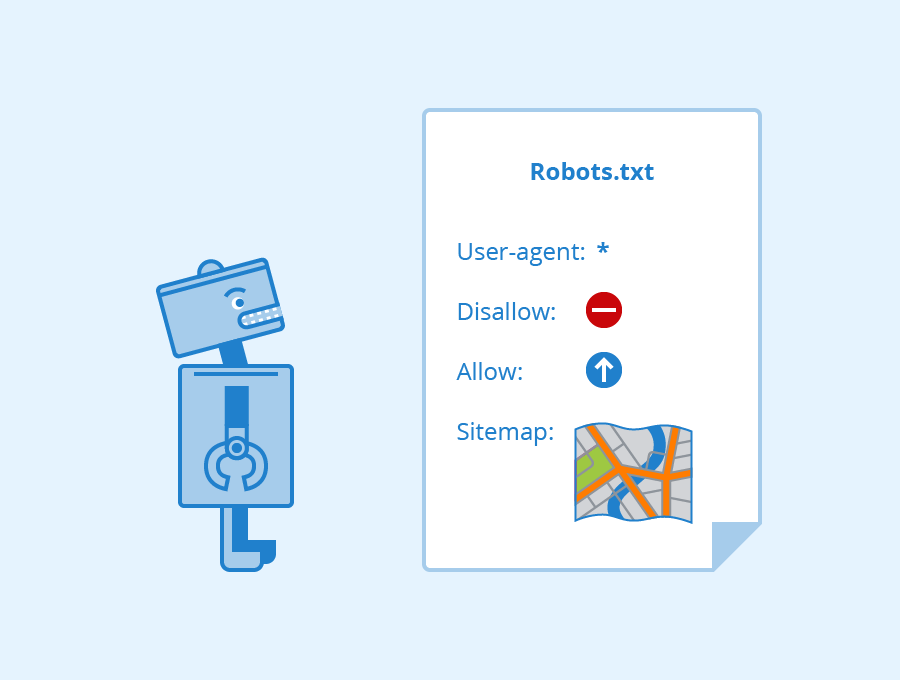
As you can see in this example, a proper robots.txt should allow access to your main content. If yours is restrictive, reach out to Blogger support or check for any recent updates that might have changed it.
3. No Sitemap Submitted to Google
A sitemap is like a map for Googlebot, showing all your pages. Blogspot generates one automatically at yourblog.blogspot.com/sitemap.xml, but if you haven't submitted it to Google Search Console (GSC), the bots might not find everything.
GSC is a free tool from Google that helps you monitor your site's performance. If you're not using it, you're missing out. Sign up, verify your Blogspot blog (easy with the HTML tag method), and submit your sitemap. This tells Google, "Hey, come check out these pages!"
Without a sitemap, especially for larger blogs, some posts might get overlooked. I've had blogs with hundreds of posts where only the homepage was indexed until I submitted the sitemap. Boom—sudden influx of indexed pages.
4. Low-Quality or Duplicate Content
Google is picky about what it indexes. If your content is thin, copied from elsewhere, or just not valuable, it might not make the cut. Blogspot blogs are prone to this if you're reposting articles or using spun content.
Think about it: Google wants to serve the best results to users. If your post on "best coffee makers" is just a list copied from Amazon, why index it? Focus on original, helpful content. Aim for at least 1000 words per post, with unique insights, images, and maybe some personal stories.
Duplicate content is another killer. If you've got the same post on multiple URLs (like with and without www), or if you're syndicating content without canonical tags, Google might deindex duplicates.
5. Technical SEO Problems
Blogspot is user-friendly, but it's not perfect. Things like slow loading times, mobile-unfriendliness, or broken links can hurt indexing.
Google prioritizes mobile-first indexing, so if your Blogspot theme isn't responsive, that's an issue. Check with Google's Mobile-Friendly Test tool. Also, if your site takes forever to load because of heavy images or scripts, bots might give up.
Broken redirects or 404 errors? Those signal problems. Use GSC's Crawl Errors report to spot them.
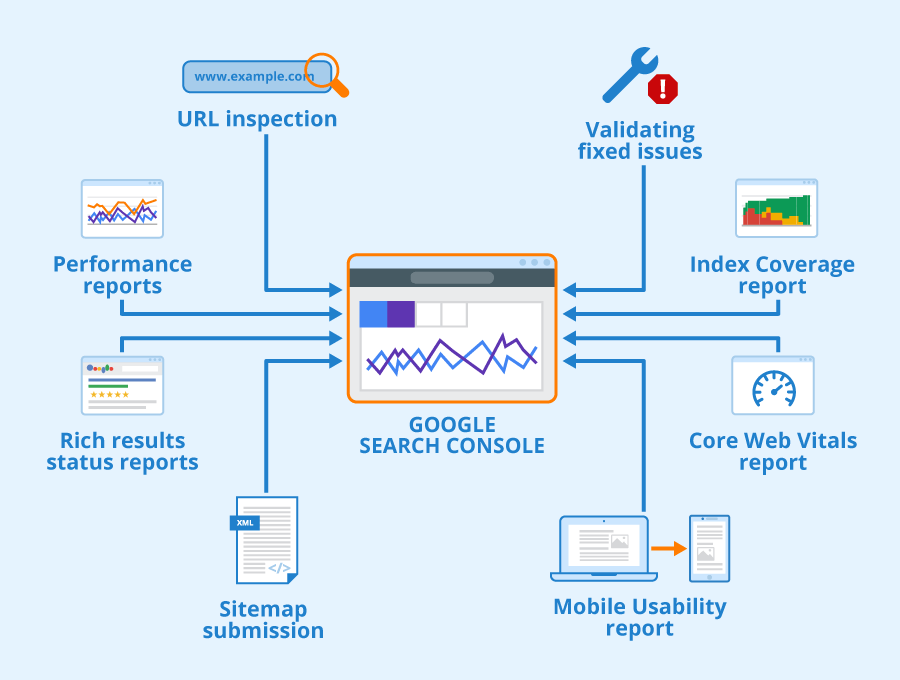
This GSC screenshot shows how you can monitor coverage. Look for errors like "Crawled - currently not indexed" or "Discovered - not indexed."
6. Google Penalties or Manual Actions
If you've been naughty—like buying links, keyword stuffing, or violating guidelines—Google might penalize you. For Blogspot, this could mean deindexing.
Check GSC for manual actions under Security & Manual Actions. If there's one, follow the instructions to fix it and request a review.
Algorithm updates like Panda (content quality) or Penguin (links) can also affect indexing. If your blog got hit, improve quality and wait.
7. New Blog Syndrome
If your blog is brand new, give it time. Google doesn't index everything instantly. It can take days or weeks for new sites to appear.
But if it's been months, that's not normal. Promote your blog with social shares, guest posts, or backlinks to speed things up.
8. HTTPS Issues or Domain Problems
Blogspot uses HTTP by default, but Google prefers HTTPS. Enable it in Settings > Basic > HTTPS. If there's a mismatch, it could block indexing.
Custom domains? Make sure DNS is set up correctly. A misconfigured domain can prevent crawling.
How to Check If Your Blogspot Blog Is Indexed
We've touched on this, but let's go deeper. The site: search is quick, but not foolproof. For accuracy, use GSC.
Set up GSC:
- Go to search.google.com/search-console.
- Add your property (yourblog.blogspot.com).
- Verify ownership—use the HTML tag and paste it in Blogger's head section.
Once verified, go to the Index > Coverage report. It shows:
- Valid pages: Indexed and good.
- Errors: Fix these ASAP.
- Warnings: Potential issues.
- Excluded: Pages not indexed, with reasons like "Duplicate without user-selected canonical."
If you see a lot in Excluded, dig into why.
You can also use tools like Ahrefs or SEMrush (free trials available) for more insights, but GSC is the gold standard.
This report is your best friend for diagnosing indexing woes.
Step-by-Step Fixes for Blogspot Blog Not Indexing in Google
Now, the good stuff—how to fix it. I'll walk you through actionable steps.
Step 1: Verify Privacy and Settings
Log into Blogger dashboard.
- Settings > Privacy: Set to visible.
- Settings > Search preferences: Enable meta tags if needed.
Save and wait 24-48 hours.
Step 2: Submit Your Sitemap
In GSC, go to Sitemaps > Add new sitemap > Enter "sitemap.xml" or "atom.xml?redirect=false&start-index=1&max-results=500".
Submit and monitor for errors.
Follow this visual guide for the process.
Step 3: Optimize Robots.txt and Meta Tags
Can't edit robots.txt directly? Add <meta name="robots" content="index,follow"> to your template's head.
Avoid noindex tags accidentally added.
Step 4: Improve Content Quality
Audit your posts:
- Originality: Use Copyscape to check duplicates.
- Length: Aim for 2000+ words on pillar content.
- Engagement: Add headings, lists, images.
- Keywords: Naturally include terms like "Blogspot blog not indexing in Google" where it fits.
Update old posts to refresh them.
Step 5: Fix Technical Issues
- Enable HTTPS.
- Choose a mobile-friendly theme.
- Compress images.
- Remove broken links using GSC.
Step 6: Build Backlinks
Get links from reputable sites. Guest post, comment on blogs, share on social media.
For Blogspot, join communities like Blogger forums.
Step 7: Request Indexing
In GSC, use URL Inspection tool. Enter a page URL, request indexing. Do this for key pages.
Be patient—Google processes requests in batches.
Step 8: Monitor and Iterate
Set up alerts in GSC for issues. Check weekly.
If nothing works, consider migrating to WordPress for more control, but that's a last resort.
Advanced Tips to Prevent Future Indexing Problems
Once fixed, keep it that way.
- Regular Updates: Post consistently. Google loves fresh content.
- Internal Linking: Link posts to each other.
- Schema Markup: Add via HTML for rich snippets.
- Speed Optimization: Use lightweight themes.
- Avoid Black-Hat SEO: No cloaking or spam.
For AdSense users, ensure content complies—original, no copyrighted stuff.
If you're using tools like RankMath on a WordPress site (maybe for another blog), note that Blogspot doesn't have plugins, so manual SEO is key.
Real-Life Examples and Case Studies
Let me share a story. A friend had a cooking blog on Blogspot. Great recipes, but no indexing. Turned out, privacy was off, and no sitemap. After fixes, indexed pages jumped from 0 to 50 in a week. Traffic followed.
Another case: A tech blog with duplicate content from forums. Cleaned up, added uniques, and boom—ranking for keywords.
These aren't rare. Forums like Reddit's r/Blogger are full of similar tales.
FAQs About Blogspot Blog Not Indexing in Google
Q: How long does it take for Google to index my Blogspot blog?
A: Usually 1-4 weeks, but fixes can speed it up.
Q: Can I force Google to index faster?
A: Use GSC's request indexing, but don't abuse it.
Q: Is Blogspot bad for SEO?
A: No, it's fine, but limited compared to self-hosted.
Q: What if my custom domain isn't indexing?
A: Check DNS, redirects, and verify in GSC.
Conclusion
Whew, we've covered a lot! If your Blogspot blog not indexing in Google, it's usually fixable with the right steps. Start with basics like settings and GSC, then dive into content and technical tweaks. Be patient, monitor progress, and keep creating awesome content.
If you implement these tips, you'll see results. Have questions? Drop a comment below. Happy blogging!